It does the work
Mimir reads and writes files, searches your workspace, runs commands and sends out helper agents for the big jobs. Change its course while it runs, without starting over, and undo the files a reply changed with one click.

Mimir is an AI agent for your desktop. It reads, writes, runs and remembers, with the AI you already use, and it asks before it touches anything that matters.
Bring the AI you already have
Most AI chat windows only talk. Mimir works on your computer, carefully, and keeps what it learns.
Mimir reads and writes files, searches your workspace, runs commands and sends out helper agents for the big jobs. Change its course while it runs, without starting over, and undo the files a reply changed with one click.
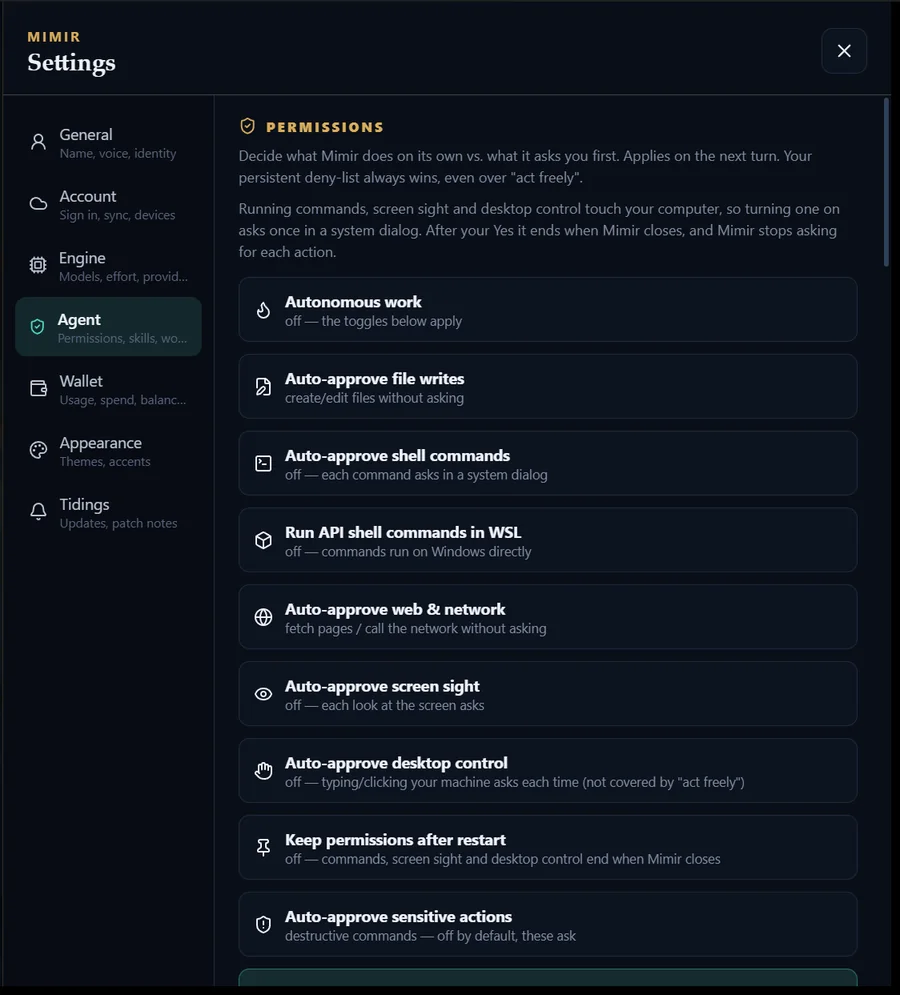
Every command, every look at your screen and every click on your desktop stops at a real system dialog that defaults to No. Your API keys stay locked by Windows or the macOS Keychain.
Mimir keeps the lessons worth keeping, and a few short notes about himself and you, as plain files you can open, edit or delete. Change models mid-chat and the new one still knows who is home.
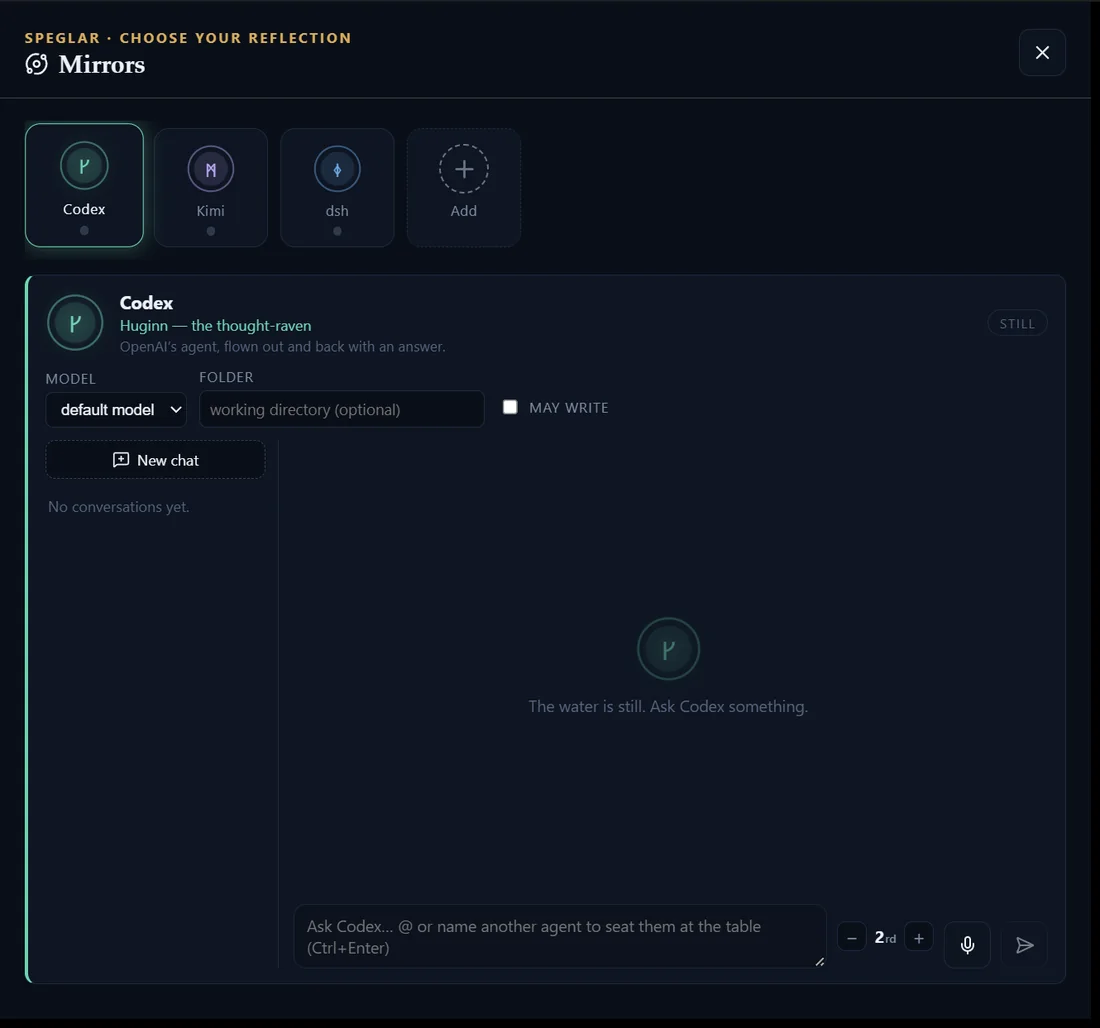
Seat Codex, Kimi or any agent you run at Mimir's table. Name them in a message, or let Mimir ask them himself for a second opinion before a big change.
Mimir hears of new versions by itself and shows you what changed. One click installs the update, checked against a signing key built into the app. When GitHub cannot be reached, your account service brings the word instead.
See what each chat and each model costs as you go. A running ledger covers your API keys and your plans alike. No key yet? Mimir credits run DeepSeek V4 at DeepSeek's own price, with nothing added.
Real screens from Mimir on Windows. The eye behind the chat never closes.
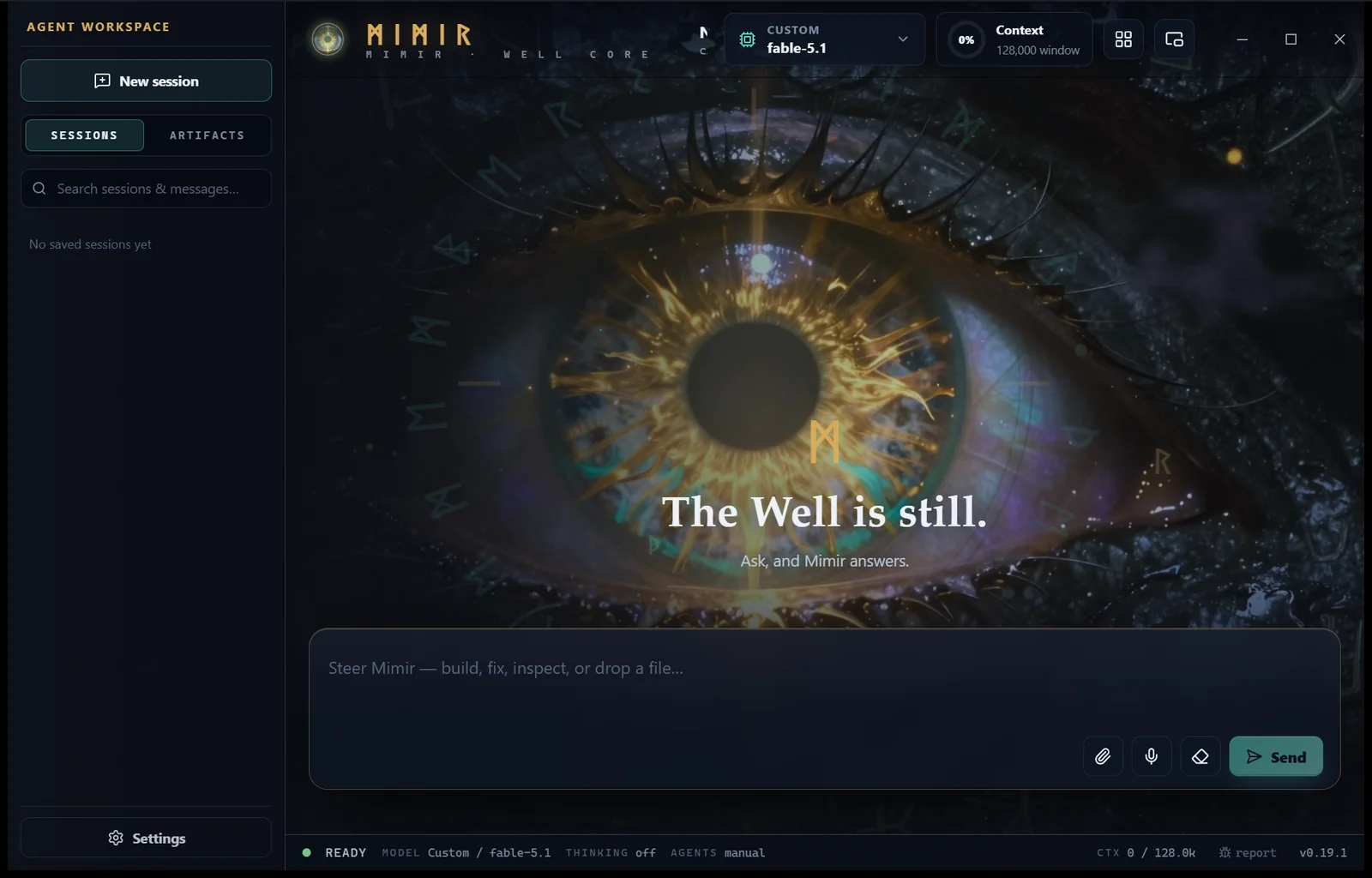
An AI that can run commands should never do it behind your back. Before Mimir runs a command, looks at your screen or moves your mouse, it stops at your operating system's own dialog, and the answer is No until you say Yes.
Run a command: npm run build
This runs with your account's access. Choose No if you did not request it.
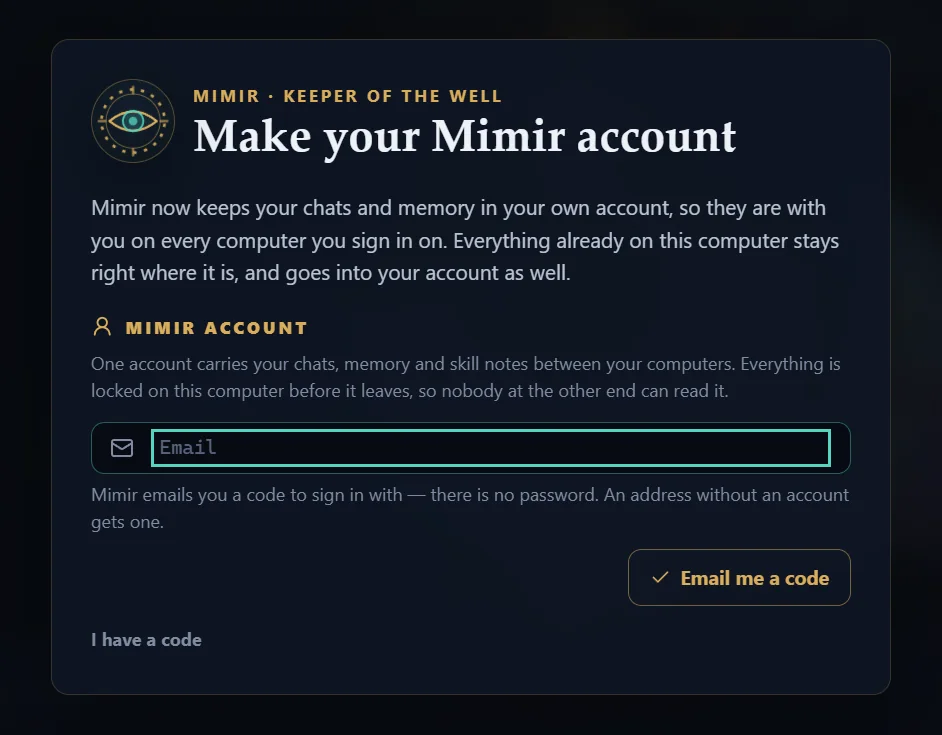
Sign in once and your chats, memory and skill notes follow you between Windows and Mac. Everything already on your computer stays right where it is.

Free for Windows and Mac. Sign in with your Claude or ChatGPT plan, or paste an API key.
On WindowsBecause Mimir is new, Windows may say it protected your PC the first time. Choose More info, then Run anyway.
On a MacSigned and notarized by Apple. Open the .dmg and drag Mimir into Applications.
After thatMimir tells you when a new version is out, and installs it with one click. New to Mimir? Getting started walks through setup with pictures.
Every version is on GitHub. What's new All releases Windows .msi
Each file's SHA-256, as GitHub recorded it when the release was built. Compare it with the file you got: on Windows, Get-FileHash .\Downloads\<file> in PowerShell; on a Mac, shasum -a 256 ~/Downloads/<file> in Terminal. They must match.
Yes. Mimir is free to download and use. You pay your AI provider directly, use the Claude or ChatGPT plan you already have, or use Mimir credits.
Your first account on a computer starts with 1,000 free credits, which is a dollar of DeepSeek V4 usage. Credits cost exactly what DeepSeek charges, half price outside its peak hours. Settings → Wallet shows what is left.
A Windows 10 or 11 PC, or a Mac. Then one way to reach an AI:
a Claude plan through the official Claude Code app, a ChatGPT plan through the official Codex app, Mimir credits on your Mimir account, an API key from Anthropic, OpenAI, DeepSeek, Qwen or OpenRouter, or a model you run yourself with Ollama or any OpenAI-compatible server.
Your chats live on your computer, and your messages go straight from your computer to the AI provider you picked.
With a Mimir account, what syncs between your computers is sealed on your computer first. The account service stores it but cannot read it.
Mimir asks first. Commands, looks at your screen and control of your mouse and keyboard each stop at a system dialog that defaults to No, and every one of those switches starts off.
Mimir checks for a new version a few seconds after it starts, then every six hours. When one is out, a gold pill lights up in the status bar with the release notes and an Install button.
It asks GitHub and your account service at the same time, so the word still arrives when GitHub is busy. Settings → Account shows which Mimir each of your computers runs.
Yes. Mimir asks you to make a free account the first time it opens: your email and a code, no password. The account is what carries your chats between computers.
If the account service ever cannot be reached, Mimir lets you in anyway and asks again the next time it opens.
Please tell us: every report helps Mimir grow. Press report at the bottom right of Mimir's window and say in a sentence what happened; signed in, it reaches us with names and paths taken out. Mimir can also send its own error reports every five minutes (Settings → Tidings). Or open an issue on GitHub and say what you did and what you saw. A screenshot helps.